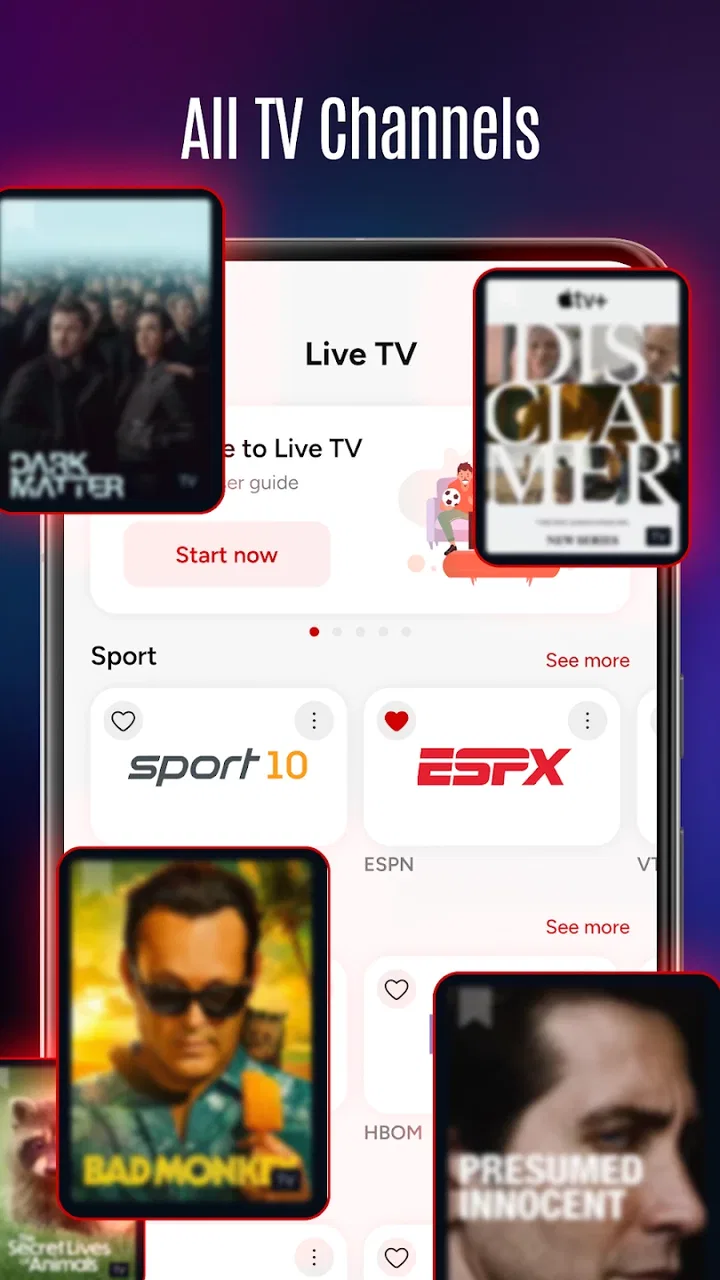
Live TV: Movies and TV Shows
- 4.1
- Rating
- 1.00M
- Installs
- Free
- Price

 Analysis by App-foxy
I spent time with Live TV: Movies and TV Shows as a straightforward video and live-channel app, and my first impression was that it aims to remove as much friction as possible between opening the app and watching something. Its focus is clear: movies, television shows, and live TV channels in one place. That simplicity is appealing when I want entertainment without building a complicated library or adjusting a long list of settings.
The app comes from MEIVI Company Limited and is free to use. It belongs to the Video Players & Editors category, although the experience feels more like a viewing hub than a tool for editing video. The age rating is Everyone, which makes it approachable for a broad household audience, but I would still treat the available programming as something to check personally before handing the device to a child.
How Live TV: Movies and TV Shows feels in everyday use
I find the app easiest to judge as a convenient extra place to watch, rather than a complete replacement for every video service. In this section, I’ll focus on the small decisions that make everyday viewing smoother—especially how to choose between live channels and movies or shows without turning a short break into a browsing session.
You May Also Like

 Blood Strike: 2.5 Anniversary
Blood Strike’s Loadouts Turn Every Drop Into a Tactical Gamble
A close look at Blood Strike’s custom loadouts: how fast access to signature weapons reshapes its battle royale rhythm, rewards preparation, and narrows the gap between fights.

 Pandora - Music & Podcasts
Pandora’s Music Is Easy to Start, but Harder to Recover
Pandora’s strength is its low-effort path from a seed to a station. Its weak spot is how much confidence it asks you to place in connection, setup, and quiet recovery.

 8 Ball Pool
 Is Built on Rivalries, Rematches, and Routine
A close look at the rivalries, rematches, shared routines, and unanswered safety questions that turn a quick pool match into a persistent mobile community.

 Samsung Music
’s Quiet Strength Is Playing What You Already Own
Its reach comes less from spectacle than from dependable access to a personal library. That simplicity is both the app’s strongest retention engine and its ceiling.

 AccuWeather: Weather Radar
AccuWeather Review: A Quick, Clear Forecast for Everyday Decisions
For everyday plans, the best forecast is the one you can understand quickly. AccuWeather makes rain timing, radar, and local conditions easy to act on, with a few trade-offs.

 Hill Climb Racing
Why Hill Climb Racing Still Turns Crashes Into One More Run
A tiny car, a bumpy hill and one more upgrade: Hill Climb Racing keeps resurfacing because its simple chaos makes every near-miss feel personal.
More From Our News Desk



A quick start matters more than a long feature list
For this kind of app, perceived speed is largely about how quickly I can get from the home screen to a channel or program. The short description is simply “Live TV,” and that tells me what the product is trying to prioritize: immediate viewing rather than a deep production workflow. I appreciate that direction. When I am sitting down for a few minutes of television, I do not want to spend that time organizing playlists, importing files, or learning an editing interface.
My preferred way to use it is to open the app with a specific intention. If I want live programming, I go directly toward the channel area instead of browsing everything available. If I am looking for a movie or show, I use the content sections as a starting point and stop once I find something suitable. This sounds obvious, but it makes a difference with an app that combines several types of video. A little discipline keeps the experience feeling quick instead of turning it into endless scrolling.
The free model also lowers the barrier to trying it. I can install it without making a purchase decision first, which is useful for a spare phone, a family tablet, or a television device where I want another viewing option. The trade-off is that a free streaming app has to earn my trust through consistency. A good first launch is not enough; the real test is whether playback remains dependable when I return repeatedly.
What happens during heavier viewing sessions
The most demanding situation is not opening the app once. It is leaving it in use for a longer viewing session, switching between channels, moving from live programming to on-demand content, or watching while the device is already busy with other tasks. These are the moments when a video app can expose its weak points through longer loading, interruptions, or a need to restart playback.
I would approach Live TV: Movies and TV Shows with realistic expectations. It is designed around watching content, so the quality of the experience will depend on the connection, the device, and the particular stream being selected. A strong connection can make the app feel pleasantly direct, while an unstable connection can make any live-TV service feel less forgiving than an offline video player. Live programming is especially sensitive because there is no complete file waiting on the device before playback begins.
One useful habit is to avoid judging the whole app from a single channel change. I would try several channels and also test a movie or show, because those may behave differently. If one stream takes longer to begin, that may reflect the source rather than the overall interface. Conversely, if every selection feels slow, the issue may be more general. This simple comparison gives me a better sense of whether the problem is temporary, content-specific, or related to the device or network.
For a shared household, another practical approach is to close demanding apps before starting a long session. I would not expect a live-TV application to behave like a lightweight audio player when the phone is already managing games, downloads, and many browser tabs. Clearing that background burden can reduce avoidable friction, particularly on older hardware. It is not a special feature, but it is an important part of getting a smoother result from a streaming app.
Stability and recovering when playback misbehaves
Reliability matters more to me here than having a huge collection of controls. A live channel is useful only if I can start it, keep it playing, and return to it without repeatedly fighting the interface. The app’s current version is 1.0.1, so I see it as a relatively early product rather than a mature platform with years of refinement behind it. That does not automatically make it unreliable, but it does make me more patient with occasional rough edges.
When playback stops or takes too long to respond, my recovery routine is simple. I first wait briefly rather than tapping repeatedly, since multiple commands can make a player feel even more confused. If nothing changes, I leave the stream and open it again. I then try another channel or program. This helps separate a temporary stream issue from an application-wide problem. If the second selection works, I can continue watching instead of assuming the whole service has failed.
For a connection that is fluctuating, I would also move closer to the router or switch to a more dependable network before blaming the app. That is particularly important with live content, where a brief interruption can be more noticeable than it would be in a downloaded file. I would not choose this app as my only entertainment plan for a journey without reliable connectivity. Its purpose is live and online viewing, not replacing offline downloads.
Another recovery question is whether the app remembers where I was after leaving it. That behavior can strongly affect longer sessions, but I would not build my workflow around automatic resume. If I am watching something I care about, I make a mental note of the channel or program before switching away. This small precaution avoids frustration if the app returns to a general screen rather than restoring the exact viewing position.
Device limits and the importance of the operating system
The minimum operating system is Android or iOS version 10, so devices running older software are outside the intended compatibility range. That is worth checking before spending time troubleshooting installation or playback. On a supported device, I would still consider the age and available resources of the hardware. A newer phone or tablet should generally be a more comfortable choice for long video sessions than an old device with limited storage and a tired battery.
Screen size changes the role of the app. On a phone, I see it as a convenient personal viewer for short breaks, waiting rooms, or casual evening watching. On a tablet, the same material becomes easier to share or watch for longer periods. If I am trying to create a living-room replacement, I would first confirm that the particular device and setup are comfortable for navigation. A service can be useful on a handset while feeling less natural on a large screen if the controls are designed mainly for touch.
Battery use is another practical consideration. Video streaming keeps the display active and maintains a network connection, so I would not treat this as a low-demand background app. For extended viewing away from a charger, lowering screen brightness and starting with a healthy battery makes more sense than expecting the app itself to be exceptionally light. On a plugged-in tablet, that concern becomes much less important.
Storage should not be the main reason to install or reject it, since the experience is centered on streaming rather than building a large offline collection. Still, I would keep the device in good general condition. A nearly full device, aggressive battery-saving mode, or restricted background activity can create confusing behavior in media apps. Checking those basics is often more useful than repeatedly reinstalling the player.
Where it fits beside familiar alternatives
Compared with a dedicated local video player, this app is aimed at a completely different job. A local player is better when I already own video files, need precise file management, or want to watch without a network. Live TV: Movies and TV Shows is more convenient when I want a ready-made viewing destination and do not want to manage files myself.
Compared with a major subscription streaming service, the appeal is the free entry point and the combination of live channels with movies and shows. A paid platform may offer a more polished catalog, stronger personalization, clearer account features, or more predictable access to particular titles. If I already subscribe to services that cover all my viewing needs, this app may feel more like a supplementary option than a replacement.
It also differs from a traditional television setup. A television guide or cable box can be easier for someone who wants familiar channel navigation and a stable household routine. This app is more flexible for mobile viewing, but that flexibility comes with the usual dependence on the device and internet connection. I would recommend it to someone who wants extra access on a phone or tablet, not automatically to someone trying to remove every variable from a living-room setup.
One non-obvious advantage is the way the combined focus can support different moods. I might begin with a live channel when I want something already in progress, then move to a movie or show when I want a more deliberate choice. That is more convenient than maintaining separate apps for every type of viewing. The downside is that a combined catalog can also make discovery less focused. If I know exactly what I want, a specialized service may get me there faster.
Who will get the most from it
I think the app is best for casual viewers who value access over elaborate customization. It suits someone who wants to check live television during a break, keep a simple entertainment option on a tablet, or browse movies and shows without committing to a paid subscription first. It can also be useful as a secondary viewing app for a household that already has a primary service but wants another way to watch.
A realistic everyday scenario would be an evening when I have twenty minutes before going to bed. Instead of opening a social network and scrolling without a plan, I launch the app, check the live options, and choose something that is already underway. If that does not match my mood, I switch to a movie or show. The value in that moment is not advanced functionality; it is having several viewing directions in one free application.
I would be more cautious about recommending it to someone who needs guaranteed access to a specific series, wants detailed parental controls, depends on offline playback, or expects a premium service’s level of catalog organization. I would also suggest a different option for users who mainly watch their own downloaded files. In that case, a dedicated media player is likely to be more direct and less dependent on network conditions.
Small habits that improve the experience
Before a longer session, I would test one live channel and one non-live selection. This takes very little time and tells me whether the current connection is suitable for the type of viewing I want. If live playback is unstable but another section works, I can avoid wasting the evening retrying the same stream.
I would also use the app on the device that best matches the situation. A phone is ideal for personal, short viewing; a tablet is better for a shared surface or longer session. Keeping the operating system at version 10 or newer is essential, and closing resource-heavy apps beforehand is a sensible way to reduce unnecessary pressure on an older device.
Finally, I would treat the free installation as an opportunity to evaluate it rather than as a promise that it will replace every other video service. I would spend a few sessions checking how quickly my preferred channels start, how comfortable navigation feels, and how easily I recover from an interruption. Those tests answer more than a generic feature list because they reflect my own network, hardware, and viewing habits.
My overall view after using it
Live TV: Movies and TV Shows has a clear, useful purpose: it brings live television and broader video viewing together in a free mobile app. Its strongest quality is convenience for casual watching, especially when I want an alternative to a paid platform or a local file player. The Everyone age rating and support for operating system version 10 or newer also make it accessible across a reasonable range of modern devices.
Its limitations are tied to the same simplicity that makes it approachable. I would not expect it to replace a mature subscription service, an offline player, or a carefully managed family television system. Longer sessions can expose the normal demands of streaming, and the early current version means I would judge it by repeated use rather than one successful launch.
The app has reached over a million installs and holds a 4.1 average from around twenty-two thousand ratings, which suggests that many people have found value in its basic viewing idea. Those figures do not remove the need to test it on my own connection, but they make it a reasonable candidate for a trial. My recommendation is straightforward: try it if you want free live and on-demand-style viewing in one place, keep a backup option for unreliable connections, and choose a more specialized service when precise catalogs, offline access, or advanced controls matter most.
FAQs for Live TV: Movies and TV Shows
01What devices are compatible with Live TV: Movies and TV Shows?
Live TV: Movies and TV Shows is designed to be compatible with a wide range of Android and iOS devices. To ensure the best experience, make sure your device is running the latest operating system version and meets the minimum hardware specifications outlined in the app store. Check the app's page for specific compatibility details.
02Does Live TV: Movies and TV Shows require a subscription?
Yes, Live TV: Movies and TV Shows typically requires a subscription to access its full library of content, including premium channels and exclusive movies. However, it may offer a free trial period or limited access to certain features. Check the app's subscription plans for detailed pricing and features included in each tier.
03Can I watch Live TV: Movies and TV Shows offline?
Live TV: Movies and TV Shows may offer an offline viewing option for certain content, allowing you to download movies or episodes to watch later without an internet connection. However, this feature might be limited to specific titles and typically requires a subscription plan. Check the app's features for more details on offline availability.
04Are there parental controls available in Live TV: Movies and TV Shows?
Yes, Live TV: Movies and TV Shows often includes parental control features to help manage what content is accessible to children. These controls allow parents to set restrictions based on content ratings and block specific shows or channels. Review the app's settings to customize these features according to your family's needs.
05How reliable is the streaming quality on Live TV: Movies and TV Shows?
The streaming quality on Live TV: Movies and TV Shows is generally high, offering HD and sometimes 4K resolution depending on your internet connection and device capabilities. For optimal streaming, a stable and fast internet connection is recommended. The app typically adjusts the quality based on your bandwidth to minimize buffering.
Pros
- Wide variety of channels available.
- User-friendly interface.
- High-quality streaming options.
- Frequent updates with new content.
- Customizable viewing preferences.
Cons
- Requires stable internet connection.
- Ads can be intrusive at times.
- Limited offline viewing options.
- Subscription needed for premium features.
- Occasional buffering on busy networks.

Live TV: Movies and TV Shows
Gallery